
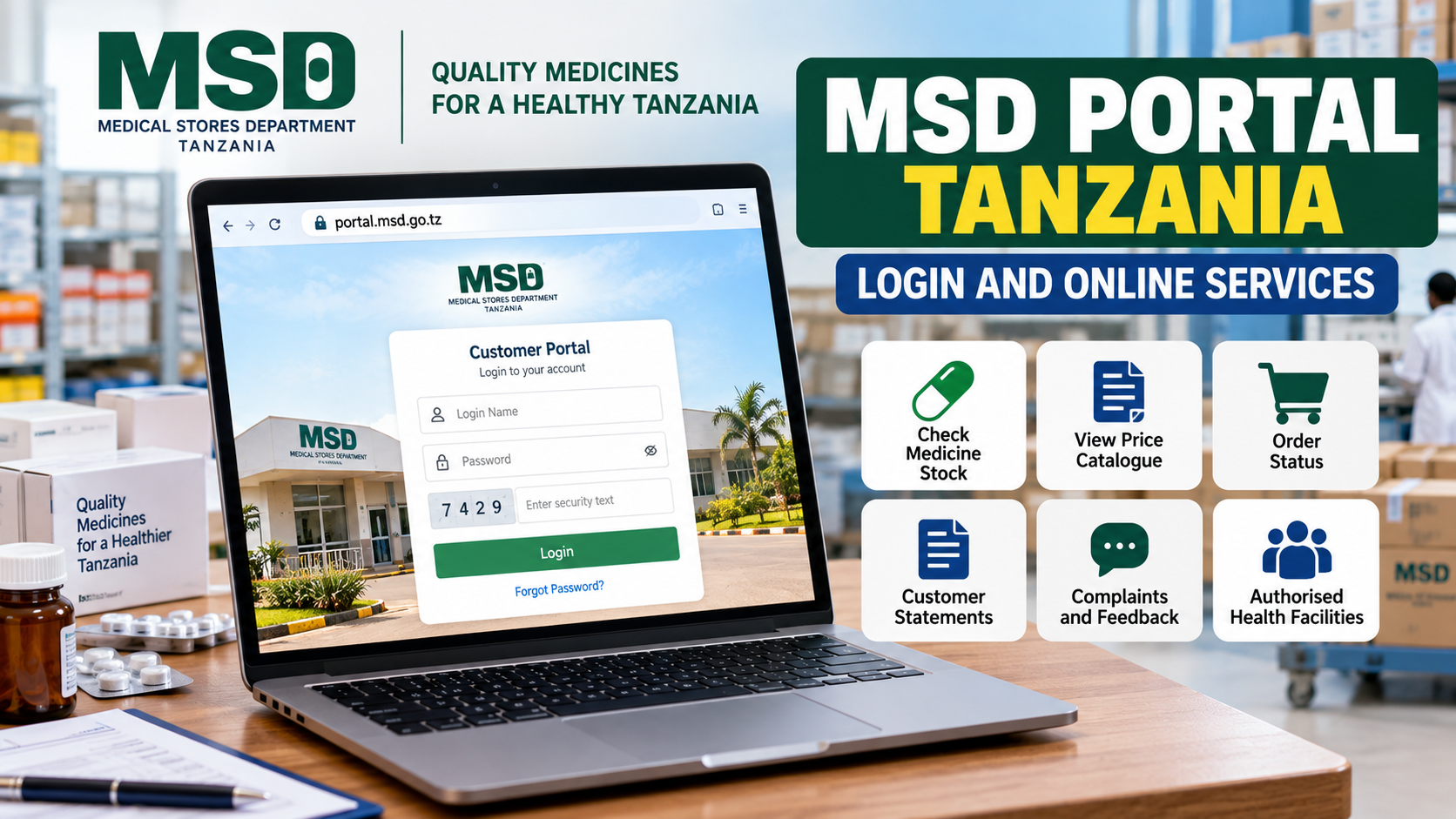
MSD Portal Tanzania: Login and Online Services Guide
MSD Portal is the Medical Stores Department's online customer system in Tanzania. It is mainly designed for registered health facilities and other authorised MSD customers that need to check medical-supply information, follow orders, view account information or communicate with MSD.
The official login page is hosted at portal.msd.go.tz, and the live page currently asks for a login name, password and security text before allowing access.
This distinction matters: MSD Portal isn't simply an online pharmacy where anyone creates an account and orders medicines. Registration of health facilities follows MSD and Ministry of Health procedures. Individuals who want to buy certain MSD products have separate retail options.
Quick Access Links
Medical Stores Department Official Website
MSD Customer Service Information
Check the domain before entering account information. The official customer portal uses portal.msd.go.tz, while MSD's main website uses msd.go.tz.
What is MSD Portal Tanzania?
MSD stands for Medical Stores Department.
The organisation handles major parts of Tanzania's health-commodity supply chain, including procurement, storage, production and distribution of medicines, medical supplies and other health commodities. Its services support health facilities and other approved customers across the country.
MSD Portal gives registered customers access to information they would otherwise need to request manually.
According to MSD's current Customer Service Unit information, customers and stakeholders can use the portal for services including:
Checking stock status
Viewing the MSD price catalogue
Following order status
Viewing customer statements
Registering complaints and feedback
MSD's Customer Service team also follows up queries submitted through the portal.
For a dispensary, health centre or hospital, that can make the portal useful when checking whether an order is progressing or whether particular health commodities are shown as available.
How to log in to MSD Portal
Go directly to the official sign-in page:
The current login screen contains fields for your login name and password. It also uses a security-text check before sign-in and offers a "Remember me next time" option.
Enter the credentials assigned to your MSD customer account and complete the security check displayed on the page.
Don't use another health facility's account.
An MSD customer account is connected with the customer or facility recognised by MSD. Using credentials from another facility can cause confusion when checking orders, statements or complaints.
Who can use MSD Portal?
The portal is primarily aimed at MSD customers rather than being a general account system for every member of the public.
MSD says health facilities that need its services must be registered after authorisation from the Ministry of Health. Its Customer Service Unit handles new-customer registration and informs approved customers about their customer account numbers and the MSD zone responsible for serving them.
MSD also divides customers into different groups.
Its official service information refers to corporate customers such as national hospitals, zonal referral hospitals, specialised hospitals, regional referral hospitals, Ministry of Health programmes and other approved institutions. Non-corporate customers include primary health facilities such as dispensaries and health centres, as well as district hospitals registered through PO-RALG and the Ministry of Health.
So if you work at a public dispensary in Dodoma, for example, your access normally relates to the registered health facility rather than a personal consumer account.
Can I register myself on MSD Portal?
Don't assume that MSD Portal works like an ordinary website where anyone presses "Create Account."
The current public login page shows sign-in and password-recovery functions, but MSD's official Customer Service Unit explains that new health-facility customers are registered after the required authorisation. MSD staff then notify them of their customer account numbers and the zone serving them.
If your facility should have access but hasn't received account information, contact MSD Customer Service rather than repeatedly trying to create unofficial accounts.
That part matters.
Checking medicine and medical-supply stock
Stock status is one of the main pieces of information available to MSD Portal customers.
MSD specifically states that customers can access stock-status information through its digital customer portal.
For a health facility, this can help when following the availability of health commodities before or during the ordering process.
Remember that stock information can change.
A status viewed earlier shouldn't automatically be treated as a guarantee that the same quantity will remain available later. Use the current information displayed in your account when making decisions.
MSD price catalogue
Registered portal users can also access price information.
MSD identifies its price catalogue as one of the services available through the Customer Portal. Its service information also refers to a digital product catalogue for customers.
This is useful when a facility needs to confirm current MSD product information rather than depending on an old printed price list or a screenshot circulated through WhatsApp.
Use current portal information.
An older catalogue may no longer reflect the current product list, stock position or price.
How to check MSD order status
Health facilities that have submitted orders can use MSD Portal to follow order status.
After signing in, look for the relevant order information in your customer account. MSD lists order status among the information provided through the portal.
Keep your order details available when following up.
If an order hasn't moved as expected, first check what status is actually displayed. An order that has been submitted isn't necessarily the same as one that has completed processing or distribution.
MSD's distribution system also records delivery information through its Proof of Delivery process, which captures details such as the recipient, delivery address, items, quantities and delivery date.
Customer statements
Another useful portal service is access to customer statements.
MSD's Customer Service Unit identifies customer statements as information customers can obtain through the portal.
For facilities dealing regularly with MSD orders, statements can help when checking account activity and reconciling records.
If figures in your facility's internal records don't match what appears in the MSD system, don't change numbers simply to make them agree. Check the underlying orders, payments or transactions and contact the appropriate MSD office if clarification is needed.
Complaints and feedback through MSD
MSD Portal isn't only for checking orders.
Customers can also register complaints and feedback. MSD says queries submitted through the Customer Portal, its ERP system and e-Mrejesho are followed up by its Customer Service team.
For product-quality problems, MSD provides a more specific procedure. Its current guidance says a quality issue should be reported using the MSD Quality Complaint Form obtained from the Customer Service Unit at the zone serving the facility. The completed form should be signed, stamped and returned to that zone.
So use the correct route for the problem you're reporting.
A general account complaint and a formal product-quality complaint aren't necessarily handled in exactly the same way.
Other MSD online services
The Medical Stores Department currently lists three main online-service links on its official website:
Customer Portal
e-Mrejesho
Staff Mail
They serve different purposes.
Customer Portal
This is the service covered mainly in this guide. Registered MSD customers can use it for information such as stock status, product prices, order status, statements and complaints.
e-Mrejesho
MSD lists e-Mrejesho separately from the Customer Portal.
It is part of the organisation's feedback and complaint-handling channels. MSD says its Customer Service team follows up queries submitted through e-Mrejesho as well as through the Customer Portal and MSD's internal systems.
Use the current link provided under Online Services on the official MSD website rather than relying on an old bookmarked address.
Staff Mail
Staff Mail is also listed separately under MSD's online services.
It's intended for MSD staff communication, not ordinary customer ordering.
If you're a hospital or health-facility customer looking for orders, stock information or statements, the Customer Portal is the relevant service.
Forgot your MSD Portal password?
The current login page includes a password-reset link.
The recovery page asks for an email address and provides a Continue button.
There's one point worth noting.
MSD's current FAQ also tells customers who forget their MSD Portal password to contact an MSD Customer Service Officer for assistance.
So the practical approach is simple: try the official password-recovery page first. If your email isn't recognised, you no longer have access to it, or the reset doesn't work, contact MSD Customer Service.
Don't create another facility identity just because the password was forgotten.
What if my MSD Portal login doesn't work?
Start with the basics.
Check that you're using the official page at portal.msd.go.tz.
Confirm your login name.
Re-enter the password carefully and complete the security text shown on the screen. The current login page requires that security check before sign-in.
If the credentials were issued to a facility, make sure you're using the active details for that facility rather than credentials from an old workplace.
For password problems, use the official recovery page or contact MSD Customer Service.
If your facility has never been registered with MSD, a password reset won't solve the issue. Registration may need to be handled through the official customer-registration process.
Can private hospitals use MSD services?
Yes, but there's an approval requirement.
MSD's official FAQ says a private hospital can receive MSD services after getting approval from the Ministry of Health.
So a private hospital shouldn't assume that opening the portal login page automatically makes it an MSD customer.
Get the required approval and follow the MSD customer-registration procedure.
Can an individual buy products from MSD?
Yes, for certain retail purchases.
MSD states that individuals can buy products through its zonal offices or retail outlets. Its FAQ specifically mentions items such as surgical masks, N95 masks and gloves among products that may be purchased.
But that doesn't mean an individual needs an MSD Customer Portal account.
For organisations, hospitals or companies seeking certain purchases, MSD says an official request containing the organisation's details and required quantity can be submitted through its official email or registry office.
So don't confuse retail purchasing with the health-facility portal.
MSD Portal shows the wrong order or account information
Don't attempt to solve an account mismatch by creating another login.
Record the relevant order number, customer number or other information shown in your account and contact MSD.
MSD operates a Customer Service Unit at headquarters and customer-service functions through its zones. Its official site lists zonal contacts for Dodoma, Mbeya, Iringa, Kilimanjaro, Mwanza, Tabora, Kagera, Mtwara, Tanga and Dar es Salaam.
Use the zone responsible for your facility when the issue relates to local service delivery.
MSD Portal security checks
Health-facility accounts can contain information about orders, products and customer transactions, so basic account security matters.
Never share a portal password in a public WhatsApp group.
Don't give login details to someone simply because they claim they can check MSD stock for you.
Avoid links sent from unknown numbers. Open the official MSD website or type the official portal address yourself.
And don't enter your password on a page that only looks similar to MSD Portal.
Check the domain.
The official portal login currently sits under portal.msd.go.tz.
MSD Customer Service contacts
MSD currently publishes the following headquarters contact information:
Medical Stores Department
P.O. Box 9081
Off Nyerere Road, Keko Mwanga
Dar es Salaam, Tanzania
Telephone: +255 736 844 844
Email: info@msd.go.tz
These details appear on MSD's current official website.
The same telephone number is identified by MSD's Customer Service Unit as its call-centre number for customers seeking guidance on MSD services.
For local issues, MSD also provides separate contact information for its zonal offices.
For example, the official contact page currently lists Dodoma Zone at P.O. Box 1304, Dodoma, with telephone number +255 (26) 2340007.
Common mistakes to avoid
Don't register unofficial accounts on third-party websites.
Don't use an old MSD Portal password reset link copied from a blog when the official portal provides its own recovery page.
Don't mistake Staff Mail for the Customer Portal.
Don't assume an individual retail purchase requires a health-facility portal account.
And don't assume every private health facility automatically qualifies for direct MSD services. MSD says private hospitals need Ministry of Health approval.
Keep your customer and order references available when contacting support.
It saves unnecessary back-and-forth.
Frequently Asked Questions
What is the official MSD Portal Tanzania login page?
The official customer login is hosted on the Medical Stores Department domain.
Open Official MSD Portal Login
The current page asks for a login name, password and security text.
What can I check on MSD Portal?
Registered customers can access information including stock status, the price catalogue, order status and customer statements. The portal also provides a channel for customer complaints and feedback.
Is MSD Portal for ordinary individuals?
The Customer Portal is mainly for registered MSD customers such as authorised health facilities.
Individuals can still purchase some products through MSD retail outlets or zonal offices without treating the Customer Portal as a general shopping account.
How do I reset my MSD Portal password?
Use the official recovery page:
The page currently asks for an email address. MSD's FAQ also advises users who have forgotten their password to contact Customer Service if assistance is needed.
Can a dispensary or health centre use MSD Portal?
Registered primary health facilities are among MSD's non-corporate customers. MSD identifies dispensaries, health centres and district hospitals registered through the relevant government health structures among the facilities it serves.
Can a private hospital register directly?
MSD says a private hospital must first receive approval from the Ministry of Health before receiving services directly from MSD.
Can I check MSD medicine prices online?
MSD says customers can access its price catalogue through the Customer Portal. It also provides a digital product catalogue as part of its customer services.
Where do I report a problem with the quality of an MSD product?
MSD advises facilities to obtain a Quality Complaint Form from the Customer Service Unit at the MSD zone serving them, complete it accurately, then return the signed and stamped form to that zone.
Is e-Mrejesho the same as MSD Portal?
No. MSD lists Customer Portal and e-Mrejesho as separate online services. Both can be involved in customer feedback, but the Customer Portal also provides stock, price, order and account information.
Official References
Medical Stores Department Tanzania — Official MSD website with current service information, contacts and online-service access.
MSD Customer Portal Login — Official portal sign-in page.
MSD Password Recovery — Official password-recovery page.
MSD Customer Service Unit — Official information about customer registration, portal services, complaints and support.
MSD Zonal Contacts — Current contact information for MSD zones across Tanzania.


Comments (0)