
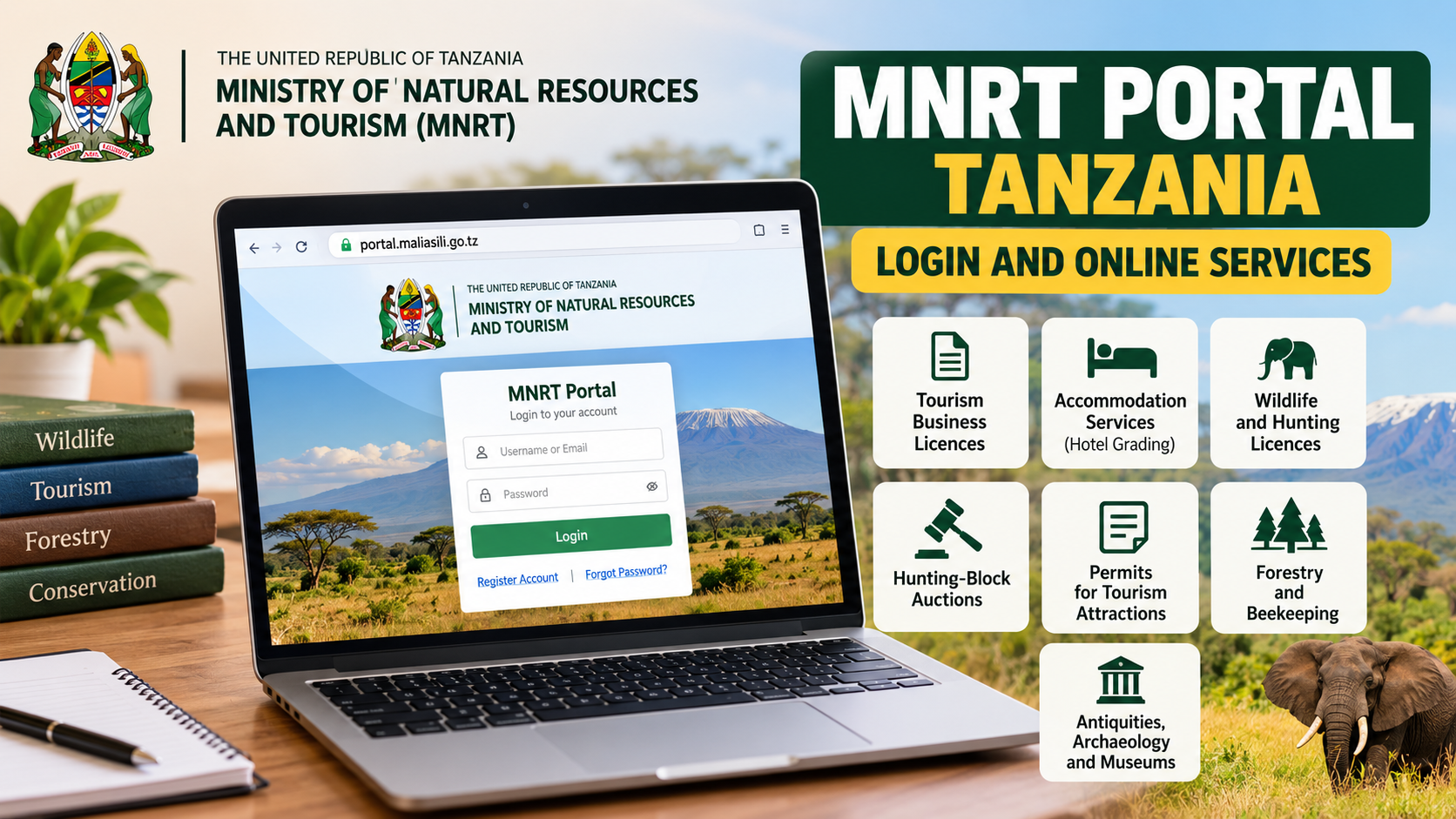
MNRT Portal Tanzania: Login and Online Services Guide
MNRT Portal is the online service platform of Tanzania's Ministry of Natural Resources and Tourism. It is mainly used by individuals, companies and other stakeholders who need services connected with tourism, wildlife, accommodation, permits, licensing and related natural-resource activities.
The official production portal is portal.maliasili.go.tz, under the Ministry's maliasili.go.tz government domain.
If you've been told to apply for a tourism licence, register a tourism-related business, deal with a permit or access another Ministry service online, this is one of the systems you may need.
Quick Access Links
Ministry of Natural Resources and Tourism Website
Ministry Resources and Services
Use the official maliasili.go.tz domain when entering company details, personal information or payment information.
Check this carefully. A website with "MNRT" in its name isn't automatically an official government portal.
What is the MNRT Portal?
MNRT stands for Ministry of Natural Resources and Tourism.
The portal acts as an online access point for services handled by the Ministry and institutions working under Tanzania's natural-resources and tourism sector.
The Ministry's current 2026/2027 budget information says MNRT Portal has been improved and is used in managing services including tourism activity licences, accommodation services, tourist hunting, hunting-block auctions and permits for entering tourism attractions.
That gives the portal a much wider purpose than a simple login page.
Someone running a tour company may need it for licensing. A tourism operator may use Ministry services connected with permits. Other users may be dealing with accommodation, hunting, forestry, beekeeping, research or heritage-related services depending on what is currently available through their account.
The Ministry's main website also lists services such as tourism business licences, trophy licences, hotel grading, hunting-block applications and fees and charges.
How to access the MNRT Portal login
Start from the official portal:
Look for the login option marked "Login" or "Ingia."
Enter the account details requested on the screen. The exact fields may depend on the version of the portal currently being displayed and the type of account you created.
Avoid using old screenshots as your main guide. The Ministry has been making changes to the MNRT Portal, and its 2026/2027 budget statement specifically refers to updates made to the system and its technology.
So if the screen you're seeing today looks different from a guide published two years ago, follow the current official portal.
Registering for an MNRT Portal account
Users who don't already have an account should start from the registration options available on the portal.
The Ministry's current portal interface provides separate registration choices for companies and individuals. Its service interface also distinguishes between Tanzanian and foreign individual registration in some registration areas.
Choose the correct account type from the start.
If you're applying on behalf of a registered tour company, don't create an individual account just because it looks quicker. And if the service is meant for an individual professional, such as a tour guide, check the registration option that matches your actual status.
Using the wrong account type can create problems later when you're asked for business registration details, licence information or personal identification.
Company registration on MNRT Portal
Businesses using Ministry services may need to register as a company.
Before starting, have your official business details ready. The exact information requested depends on the service, so use the form shown on the portal rather than relying on a checklist copied from an old blog post.
Names should match your official records.
For example, if your company is registered under a specific legal name, don't shorten or change that name when opening the portal account unless the form specifically asks for a trading name.
The same applies to contact details and licence information.
Small mismatches can become important once the account is being used for an application or licence.
Individual registration
MNRT Portal also provides individual registration.
The current portal interface distinguishes between Tanzanian and foreign applicants in its individual registration area.
Choose the correct category and provide the information requested.
Don't register several accounts because you aren't sure whether the first one worked. First try to confirm your existing account or use any recovery option provided on the portal.
Duplicate accounts can make it harder to know which account is linked to your applications or business information.
What services are available through MNRT Portal?
Available services can change as the Ministry adds or reorganises systems. But official Ministry information confirms several important service areas.
Tourism licences
Tourism licensing is one of the major uses of the system.
The Ministry's current budget material specifically identifies licences for tourism activities among services managed through MNRT Portal.
The Ministry also lists tourism operator licensing as an official service on its main website.
Depending on the activity, the licensing process may apply to businesses or professionals working in Tanzania's tourism industry.
That may include areas such as tour operations, safari activities, tour guiding or other regulated tourism services.
Always choose the exact service shown on the portal rather than assuming one licence covers every tourism activity.
Accommodation-related services
Accommodation services are also included among the activities managed through the Ministry's digital systems. The 2026/2027 Ministry budget statement lists accommodation alongside tourism licensing and other services handled through MNRT Portal.
The Ministry website separately lists hotel grading among its services.
If you're operating a lodge, hotel, camp or another accommodation business, read the specific service instructions before submitting anything.
Registration, licensing and hotel grading are not necessarily the same process.
Tourist hunting services
Tourist hunting is another area covered by the portal according to current Ministry information.
Users dealing with this area should pay close attention to the specific licence, permit or hunting-block procedure they're applying for.
Don't use instructions for ordinary tourism licensing when your application is related to hunting.
Different rules and supporting documents can apply.
Hunting-block auctions
The Ministry also identifies hunting-block auctions as one of the services managed through MNRT Portal.
The portal interface lists hunting blocks under its auction services.
Availability will depend on current Ministry announcements and auction periods.
There isn't one permanent deadline that applies to every hunting-block opportunity. Check the current notice before preparing an application or payment.
Permits
Permit services form another part of the system.
Current Ministry information refers to permits for entering tourism attractions, while the portal interface includes a broader permits section alongside registration and licensing services.
The exact permit you need depends on the activity.
Don't choose a permit simply because its name looks similar to what you're doing. Read the requirements carefully.
Forestry and beekeeping
The MNRT Portal interface also includes forestry and beekeeping service categories.
These sit within the wider responsibilities of the Ministry of Natural Resources and Tourism.
Users working with forest products, forestry activities or beekeeping should choose the relevant category shown on the portal and follow the current instructions there.
Antiquities, archaeology and museums
The portal interface includes services under "Mambo Kale," covering areas such as historical sites, archaeology and museums.
That can matter to researchers, institutions, businesses or other applicants whose activities involve Tanzania's protected heritage.
These services should not be confused with ordinary tourism-business registration.
Online payments and control numbers
MNRT Portal includes online payment functions.
The current Ministry portal build displays an "Instant Online Payment" area where a user can search using a control number.
If you've already been issued a control number, enter it carefully.
Don't change digits, add spaces where they don't belong or use a control number from another application.
And confirm that you're paying against the correct service before sending money.
A control number is tied to a particular payment request. Treat it like an important application reference.
If the amount or service description shown doesn't match what you expected, don't rush to pay. Check the application details first or contact the Ministry.
A simple way to use the portal
For many services, the portal follows a basic online process.
First, register or log in.
Then choose the service you need. Complete the requested information, follow the instructions for the application and make any required payment through the official process.
The Ministry's portal interface summarises the process as registration or login, selecting a service, paying where required and receiving the service.
Individual services may still require extra documents, reviews or approvals.
So don't assume payment alone means your licence or permit has been approved.
What should you prepare before applying?
Requirements depend on the service.
A company applying for a tourism-related licence will normally face different requirements from an individual guide, researcher or applicant seeking another type of permit.
Start with your correct identification and registration information.
For businesses, make sure the legal company details you're using are current. If you already hold a licence, keep its information available in case the portal asks for it.
Scan documents clearly where uploads are required.
Avoid blurry phone photos, cut-off pages or documents where important numbers can't be read.
File names also help. A clear name such as Business_Registration.pdf is easier to recognise than something like IMG000928.pdf.
MNRT Portal and tourism business licences
Tourism business licensing is particularly important because it affects businesses operating within Tanzania's regulated tourism sector.
The Ministry says its digital process has been used to allow tourism stakeholders to register and obtain business licences online. Its recent government material also shows that MNRT Portal remains part of the Ministry's current digital-service programme.
If you're applying for a licence, check three things before submitting:
Make sure the account belongs to the correct person or company.
Choose the correct tourism activity.
And make sure the application information matches the supporting documents.
That part matters.
What if the MNRT Portal isn't opening?
Start by checking the address.
The official production portal is:
If the site is temporarily unavailable, don't immediately move to an unofficial website asking for the same information.
Try the Ministry's main website and check whether any notice has been issued:
Ministry of Natural Resources and Tourism
Government systems can sometimes be unavailable during maintenance or updates.
If the problem continues, contact the Ministry.
Login details aren't working
First check the basic things.
Make sure you're using the correct account.
Confirm that you're entering the email, username or other identifier exactly as registered.
Check the password carefully.
If the portal provides a password-recovery option, use that instead of creating another account.
Don't share your password with someone offering to "fix" your licence application through WhatsApp or Telegram.
The Ministry doesn't need your personal password in order for you to receive official help.
Payment made but service isn't complete
Payment and approval are different steps.
After paying, check the status or instructions shown inside your portal account.
Some applications need to be reviewed before a licence, permit or other service is issued.
Keep your payment reference or receipt.
If the portal still shows an issue after the payment has been made, contact the Ministry with the relevant application information and control number rather than making the same payment again.
Never pay twice just because a page hasn't refreshed.
Don't rely on an old MNRT Portal screenshot
The Ministry has been updating the portal.
Its 2026/2027 budget statement says improvements have been made to MNRT Portal to update the technology, improve how users interact with the system and connect it with other tourism-service systems.
That means older guides may show menus, buttons or procedures that have changed.
Use old screenshots only as background information.
The live portal should be your main guide.
Is there one deadline for MNRT Portal applications?
No single general deadline applies to every MNRT Portal service.
A tourism licence, auction, permit or another application may have its own timetable.
Hunting-block auctions, for example, may depend on a specific Ministry announcement. Other services may operate throughout the year but still have validity periods or renewal dates.
Check the notice attached to the service you're applying for.
Don't assume a deadline found on Facebook from a previous year is still valid in 2026.
Contact the Ministry of Natural Resources and Tourism
If the portal problem involves an application, licence, account or service that you can't resolve online, use the Ministry's official contact details.
Ministry of Natural Resources and Tourism
Prime Minister Road
P.O. Box 1351
40472 Dodoma, Tanzania
Email: ps@maliasili.go.tz
Telephone: +255 26 2321514
These details are currently published on the Ministry's official website.
For a specific licence or permit, include enough information for the officer to identify the issue, but don't send your password.
Important cautions when using MNRT Portal
Check the domain before logging in. Official portal addresses should be under maliasili.go.tz.
Don't create several accounts for the same person or company unless the Ministry tells you to do so.
Don't send portal passwords through WhatsApp.
Confirm the service and amount before paying a control number.
Keep payment receipts and application references.
And check current Ministry notices when a service has a deadline.
Those simple checks can save a lot of trouble.
Frequently Asked Questions
What is the official MNRT Portal Tanzania website?
The official production portal is the Ministry of Natural Resources and Tourism's MNRT Portal.
The portal is hosted under the official maliasili.go.tz government domain.
What does MNRT mean in Tanzania?
MNRT means Ministry of Natural Resources and Tourism.
The Ministry covers sectors that include wildlife, tourism, forestry, beekeeping, antiquities and related natural-resource activities.
Can a company register on MNRT Portal?
Yes. The portal interface provides company registration as well as individual registration options.
Choose the account type that matches the service and applicant.
Can an individual use MNRT Portal?
Yes. Individual registration is provided, including separate choices shown for Tanzanian and foreign individuals in the current portal interface.
Is MNRT Portal only for tour operators?
No. Tourism business licensing is an important part of the portal, but official Ministry information also refers to accommodation, tourist hunting, hunting-block auctions, permits and other natural-resource services.
Can I pay through the MNRT Portal?
The current portal interface includes online-payment functionality and a control-number search area.
Always confirm that the control number and payment details belong to your application before paying.
Does payment mean my licence has been approved?
Not necessarily.
A payment can be one stage of the application. The service may still need review or approval before the licence, permit or other document is issued.
Where can I find tourism licensing information?
Start with MNRT Portal for the online process and use the Ministry's main website for current official service information.
Visit the Ministry of Natural Resources and Tourism
Official References
Official MNRT Portal Tanzania — Official Ministry online-service portal.
Ministry of Natural Resources and Tourism — Official Ministry website, services and contact information.
Ministry Resources and Services — Ministry service areas, including tourism business licences, hotel grading, hunting-block applications and trophy licences.
The Ministry's 2026/2027 budget information also confirms that MNRT Portal continues to be used and has been updated for services including tourism licences, accommodation, tourist hunting, hunting-block auctions and permits.


Comments (0)