
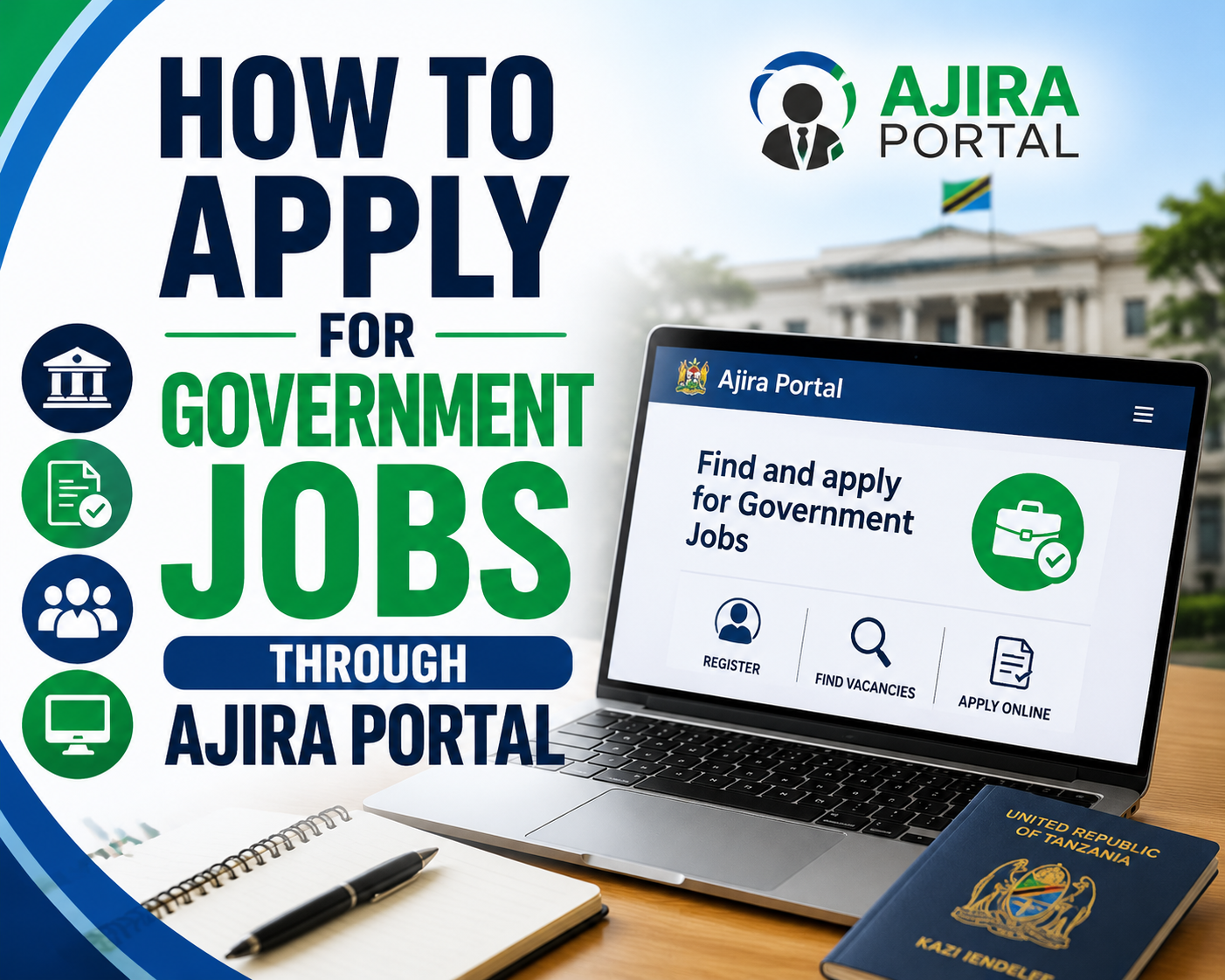
How to Apply for Government Jobs Through Ajira Portal
Applying for a government job in Tanzania no longer means carrying printed application letters from one office to another. Many public-service vacancies coordinated by the Public Service Recruitment Secretariat (PSRS) are handled online through the Ajira Portal.
The Ajira Portal allows job seekers to create an account, build a professional profile, view available government vacancies and submit applications electronically. The portal itself advises applicants to complete all required profile information before selecting a vacancy, reading its requirements and applying online.
Although the system makes applying easier, many candidates still lose opportunities because of incomplete profiles, incorrect information, missing qualifications or applying for jobs without carefully reading the requirements.
This guide explains how to apply for government jobs through Ajira Portal in Tanzania, from creating your account to submitting an application and following your application status.
What Is Ajira Portal?
Ajira Portal is Tanzania's online government recruitment platform used by job seekers applying for vacancies handled through the public-service recruitment system.
Through the portal, applicants can:
-
register an account;
-
create and update their profile;
-
enter personal information;
-
add academic qualifications;
-
add professional qualifications;
-
provide work experience and training;
-
add referees;
-
search available vacancies;
-
submit applications;
-
follow their applications.
The official user documentation explains that the recruitment portal was developed to allow applicants to register, create profiles, apply for available vacancies and receive feedback about their application status.
The portal can be accessed directly through portal.ajira.go.tz.
Step 1: Create an Ajira Portal Account
If you have never used Ajira Portal, the first step is registration.
Visit the Ajira Portal and select the option to create an account.
You will need an active email address and password.
According to the portal's current registration guidance, after entering your email address and password, an activation link is sent to your email. You need to open that message and follow the activation link before logging into the account.
Use an email address that belongs to you and that you check regularly.
Government recruitment can take time, and you may need the same account for future applications. Losing access to the email connected to your account can therefore create unnecessary problems.
Also check your spam or junk folder if the activation message does not appear in your main inbox.
Step 2: Log In and Complete Your Profile
Creating an account does not mean you are immediately ready to start applying.
Your profile is one of the most important parts of your Ajira Portal account.
After signing in, complete the information requested by the system carefully.
The portal currently advises applicants to provide their NIDA information, academic qualifications, professional qualifications where applicable, referees, profile picture, training information where applicable and other necessary details before applying.
Do not rush through this stage.
Information entered into your profile may later be used when determining whether you meet the requirements of a particular vacancy.
Step 3: Enter Your Personal Information Correctly
Provide your personal information exactly as required by the portal.
Make sure important details correspond with your legitimate documents.
Check spelling carefully, particularly your names.
A small typing mistake can create confusion later when your application information is compared with identification documents and academic certificates.
Do not enter information simply because you think it will improve your chances of being shortlisted.
Accuracy is more important.
Step 4: Add Your NIDA Information
Applicants should complete the identification information requested by Ajira Portal, including NIDA details where required.
Use your own correct information.
If the system retrieves information connected to your identity, review it carefully before proceeding.
Avoid creating multiple identities or entering another person's information.
If you encounter a genuine technical problem, use the support or feedback options provided by Ajira Portal rather than entering false information to bypass the problem.
Step 5: Add Your Academic Qualifications
Your education section can directly affect the jobs for which you qualify.
Enter your academic qualifications carefully.
Depending on your educational background, these may include relevant:
-
secondary education;
-
certificates;
-
diplomas;
-
bachelor's degrees;
-
postgraduate diplomas;
-
master's degrees;
-
other recognised qualifications.
Use the correct institution, programme and qualification information.
If you studied outside Tanzania, check whether your qualifications require recognition by the appropriate Tanzanian authority before using them for public-service recruitment.
Most importantly, never claim a qualification you do not possess.
The official Ajira Portal user guide warns applicants that false or incorrect information can result in disqualification during the recruitment process.
Step 6: Add Professional Qualifications
Some careers require or strongly value professional qualifications in addition to academic education.
These may apply to areas such as:
-
accounting;
-
procurement and supplies;
-
engineering;
-
healthcare;
-
law;
-
human resources;
-
information technology;
-
other regulated professions.
If you hold a relevant professional qualification, registration or licence, enter it in the appropriate section.
Make sure the information is current and truthful.
If a vacancy specifically requires professional registration, having the academic degree alone may not necessarily satisfy that requirement.
Read the advertisement carefully.
Step 7: Add Your Work Experience
If you have previous employment experience, complete the work-experience section accurately.
Include relevant information about your previous employers, positions and employment periods as requested by the system.
Your work history should correspond with the information you provide elsewhere in your application.
Do not artificially extend employment dates to meet an experience requirement.
For example, if a vacancy requires three years of experience and you have one year, changing your dates to appear as though you have three years creates false information and could eventually result in disqualification.
Applicants with limited employment history should still provide legitimate internships, practical training or other experience where the system and vacancy allow them to be included appropriately.
Step 8: Add Training and Other Relevant Information
If you have completed relevant professional training, add it where appropriate.
Training can strengthen your profile when it genuinely supports your profession.
For example, depending on your career, useful training may involve:
-
computer applications;
-
project management;
-
accounting software;
-
data analysis;
-
occupational safety;
-
procurement;
-
monitoring and evaluation;
-
specialised technical skills.
Avoid treating the profile as a competition to see who can add the largest number of certificates.
Relevant qualifications are more useful than unrelated ones.
Step 9: Add Your Referees
Ajira Portal also asks applicants to provide referee information.
Choose referees who can genuinely provide professional or academic information about you where appropriate.
Before entering someone's details, it is good professional practice to inform the person that you would like to use them as a referee.
Check their:
-
full name;
-
position;
-
organisation;
-
telephone number;
-
email address.
Outdated contact details can make verification more difficult if a recruiter eventually needs to contact them.
Step 10: Upload a Suitable Profile Picture
Where the portal requires a profile photograph, use an appropriate image that meets the system requirements.
A simple, clear photograph is normally preferable.
Your face should be visible, and the image should represent you professionally.
Avoid uploading unrelated images, heavily edited pictures or photographs of another person.
Step 11: Review Your Profile Before Applying
Do not immediately begin applying after entering information.
Review your profile.
Look specifically for:
-
spelling errors;
-
incorrect dates;
-
missing qualifications;
-
incorrect telephone numbers;
-
incomplete employment history;
-
missing professional qualifications;
-
incorrect referee contacts.
The official Ajira Portal user guide states that applicants are required to declare that the information provided is correct and truthful. It also warns that incorrect or false information can be grounds for disqualification at any stage.
Take that declaration seriously.
Step 12: Search for Available Government Vacancies
Once your profile is sufficiently completed, you can begin searching for jobs.
Select Vacancies from the portal.
The official user guide indicates that applicants can search available vacancies and open a position to see information including its qualifications and duties.
Do not apply based only on the job title.
Open the vacancy and read the entire advertisement.
Pay particular attention to:
Qualifications: Do your academic and professional qualifications match?
Experience: Does the vacancy require previous experience?
Duties: Do you understand what the position involves?
Professional requirements: Is registration or licensing required?
Application instructions: Is anything additional required?
Closing date: Is the vacancy still open?
Applying for every vacancy you see is unlikely to improve your chances if your qualifications do not match.
Step 13: Read the Qualifications Before Clicking Apply
This is one of the most important steps.
Imagine that you hold a Bachelor of Business Administration and see a vacancy titled Accountant II.
Do not assume that any business degree qualifies you.
Open the vacancy and read the exact educational requirements.
If the employer requires a specific accounting qualification, your degree must satisfy what is actually stated in the advertisement.
Government recruitment is generally based on advertised qualifications rather than how closely an applicant personally believes their education resembles the required field.
Apply where your qualifications genuinely match.
Step 14: Prepare Your Application Letter
The Ajira Portal's current guidance says applicants apply to vacancies by attaching an application letter after completing the necessary profile information.
Your application letter should be professional and specific to the position.
A useful letter normally identifies:
-
the position you are applying for;
-
your relevant qualification;
-
relevant experience where applicable;
-
why your background fits the position.
Avoid writing an extremely long personal history.
Your detailed education and experience already appear elsewhere in your profile and CV information.
The application letter should support your application rather than repeat everything.
Step 15: Submit Your Application
After confirming that you qualify, follow the portal's application procedure and submit the application.
The official instructions are straightforward: open the vacancies section, select the vacancy, read its requirements thoroughly and apply through the portal.
Do not wait until the final minutes before the deadline.
Internet problems, forgotten passwords, missing information or technical issues can prevent you from completing the application on time.
Applying earlier gives you time to solve problems.
Step 16: Check Your Applications
After applying, continue using your Ajira Portal account rather than assuming the process ends after submission.
The portal documentation identifies My Applications as one of the main sections available from the applicant dashboard.
Use your account to keep track of the applications you have submitted and relevant recruitment information.
It is also sensible to keep your own simple record containing:
| Information | What to Record |
|---|---|
| Institution | Employer's name |
| Position | Exact job title |
| Application date | Date you applied |
| Closing date | Vacancy deadline |
| Status | Current application progress |
This becomes useful when you have applied for several positions.
Step 17: Watch for Shortlisting and Interview Announcements
Submitting an application does not guarantee an interview.
Applications are reviewed against the requirements of the vacancy, and candidates who progress may be invited to the next stage of recruitment.
Government recruitment assessments can include written, practical or oral stages depending on the position. AfroJobs' guide to Ajira Portal interview questions and answers for government jobs in Tanzania explains these different interview formats and how candidates can prepare for them.
Do not depend entirely on forwarded WhatsApp messages for interview information.
Check your Ajira Portal account and official PSRS recruitment announcements.
Prepare for the Interview Before You Are Shortlisted
One mistake candidates make is waiting for an interview invitation before beginning preparation.
If you apply for a position for which you are strongly qualified, start revising early.
Return to the original vacancy and study:
-
duties and responsibilities;
-
professional knowledge associated with the role;
-
institution offering the position;
-
relevant laws or procedures;
-
technical subjects from your profession.
Candidates preparing for written assessments can practise with AfroJobs' 100 UTUMISHI written interview questions and answers. These are preparation questions rather than leaked PSRS examinations.
You can also use the Ajira Portal aptitude test questions and answers for MDAs and LGAs to practise numerical reasoning, verbal reasoning, workplace situations and related areas.
Common Ajira Portal Mistakes to Avoid
Applying for Jobs You Don't Qualify For
Read the education and experience requirements before applying.
Submitting more applications does not necessarily increase your chances if most of them do not match your qualifications.
Leaving Your Profile Incomplete
Complete all relevant sections before concentrating on vacancies.
The Ajira Portal itself instructs applicants to complete required profile information before applying.
Entering False Information
Never alter qualifications, experience or employment dates to make yourself appear eligible.
False information can lead to disqualification.
Using the Wrong Email Address
Use an email account that you can access reliably.
You need it during account activation and may need it again for password recovery.
Ignoring Vacancy Duties
The duties tell you what the employer expects the successful candidate to perform.
They are also useful when preparing for an interview.
Waiting Until the Deadline
Apply as early as reasonably possible.
Do not create unnecessary pressure for yourself by waiting until the last hour.
Forgetting to Update Your Profile
Your career changes.
If you gain a new qualification, professional registration, training or relevant experience, update your profile accurately.
What If You Forget Your Ajira Portal Password?
Use the password-recovery option on the portal.
According to the Ajira Portal FAQ, applicants can provide their registered email address and receive a link that allows them to reset their password.
Avoid creating another account simply because you forgot the password unless official support specifically instructs you to do so.
What If You Have a Technical Problem?
Ajira Portal provides a feedback facility for applicants experiencing problems. Its current contact information also lists PSRS telephone and email contacts.
Use the contact information displayed on the official portal rather than sending personal information to random individuals on social media claiming they can fix your account.
Frequently Asked Questions
What is the official Ajira Portal website?
The official recruitment portal is portal.ajira.go.tz. It provides account registration, vacancy browsing and online applications for government vacancies handled through the system.
Do I need an account to apply?
Yes. Applicants register using an email address and password, activate their account and complete their profile before applying through the portal.
What information should I add before applying?
The portal currently advises applicants to provide NIDA information, academic qualifications, relevant professional qualifications, referees, profile picture, training where applicable and other necessary details.
Can I apply for several government jobs?
You can apply for vacancies for which you genuinely meet the stated requirements. Concentrate on positions matching your qualifications rather than submitting applications indiscriminately.
Does applying through Ajira Portal guarantee an interview?
No. Submitting an application means you have applied for consideration. Candidates must still satisfy the vacancy requirements and recruitment process before progressing.
Should I pay someone to help me get shortlisted?
Do not rely on individuals claiming they can guarantee government employment or influence shortlisting in exchange for payment. Use the authorised recruitment process and information available through Ajira Portal and PSRS.
Can I edit my profile?
Keep your profile accurate and update relevant information as your qualifications and professional experience develop. Always ensure that information entered can be supported by legitimate documentation.
Final Thoughts
Applying for government jobs through Ajira Portal becomes much easier once you understand the system.
Start by creating your account with an email address you control. Complete your profile carefully, add genuine qualifications and experience, provide accurate referee information and review everything before declaring it correct.
Then search the available vacancies and be selective.
Read the qualifications.
Study the duties.
Apply only where your background genuinely matches what the employer requires.
After submitting your application, continue checking your account and official recruitment announcements. If you are shortlisted, prepare seriously for the written, practical or oral assessment that may follow.
The strongest Ajira Portal strategy is not applying for the largest number of vacancies. It is maintaining an accurate profile and submitting well-prepared applications for government positions that genuinely match your qualifications.


Comments (0)